
Do not share the owner password with the counter. Each person gets a user. The activity log then shows a name.
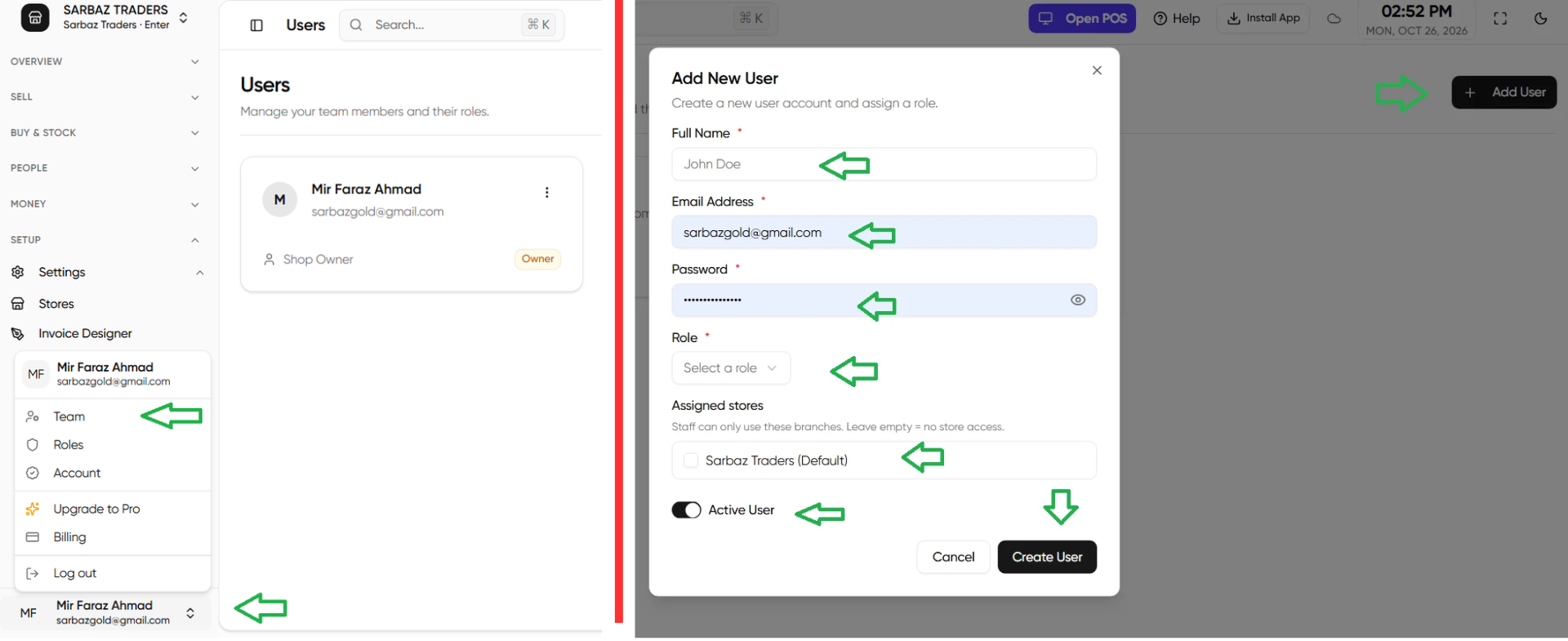
Add a person
- Open Users.
- Add a user. Enter full name, email, password, and a role.
- Leave them Active.
- On Enterprise, assign the stores they may use. On a single-store plan there is one store.
What each role can do
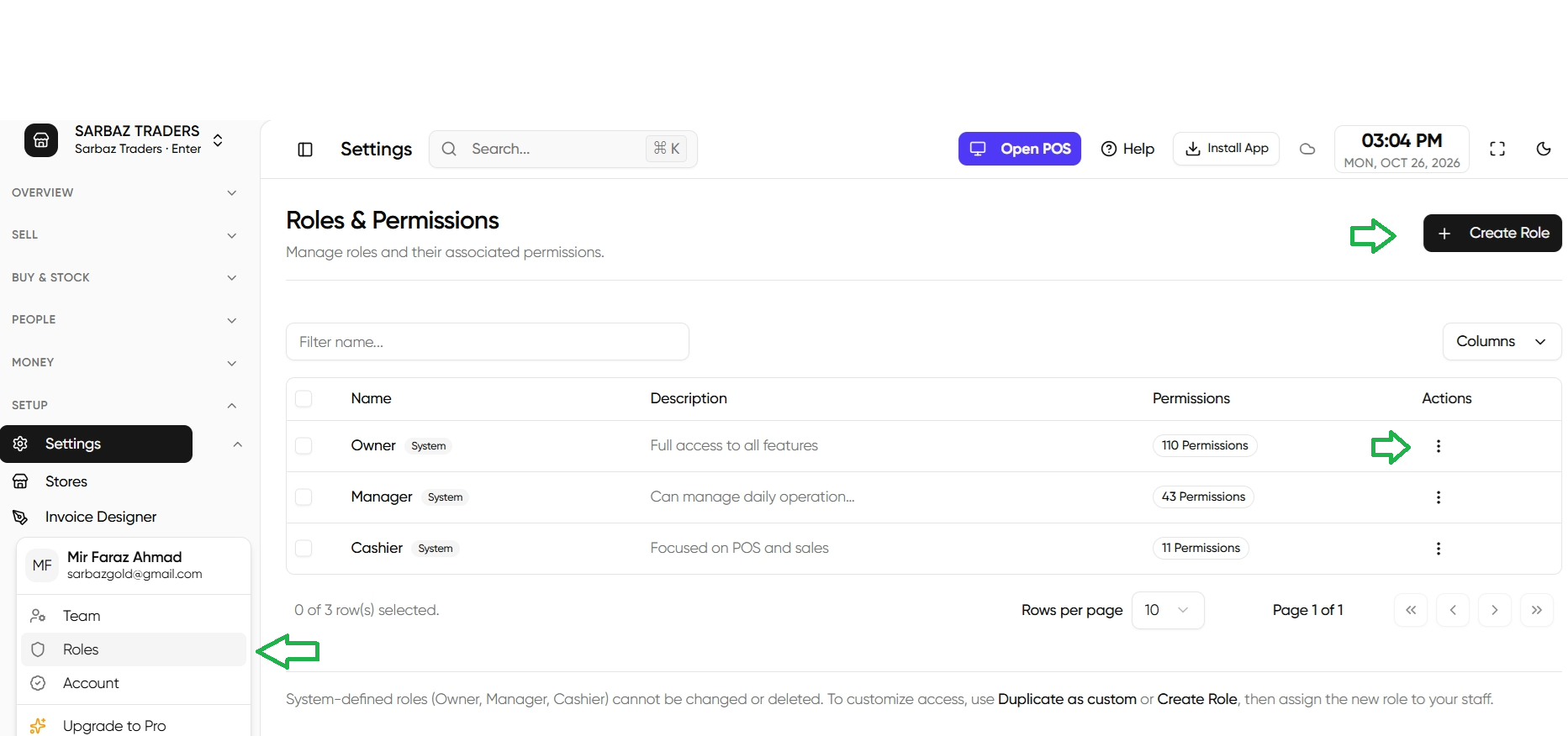
- Cashier — dashboard, POS, create and view invoices, view products, view and create customers. No settings, no stock edits, no reports.
- Manager — the cashier screens, plus products, stock, categories, customers, vendors, invoices and payments, quotes, and reports.
- Owner — every permission, including new ones added later.
You can copy a role and remove permissions. Open Settings, then Roles, and edit that copy. Do not strip the Owner role.
Next: Two-factor sign-in.