
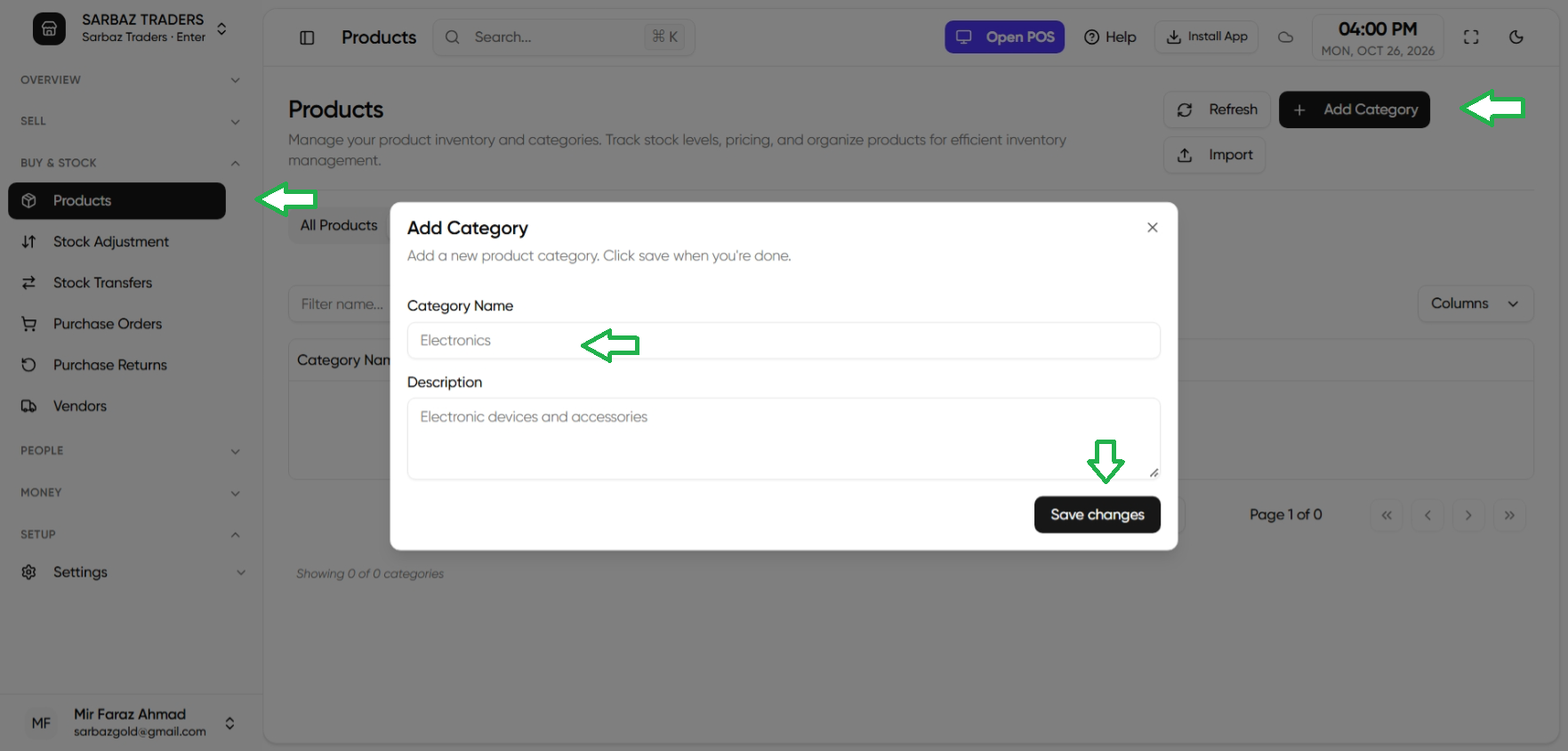
- Open Products.
- Open the Product Categories tab.
- Add a category name.
- On the product, choose that category.
Categories also appear as a filter on the POS product list. Importing products can set the category from the CSV column category. See Import products from CSV.
Next: Variants.