
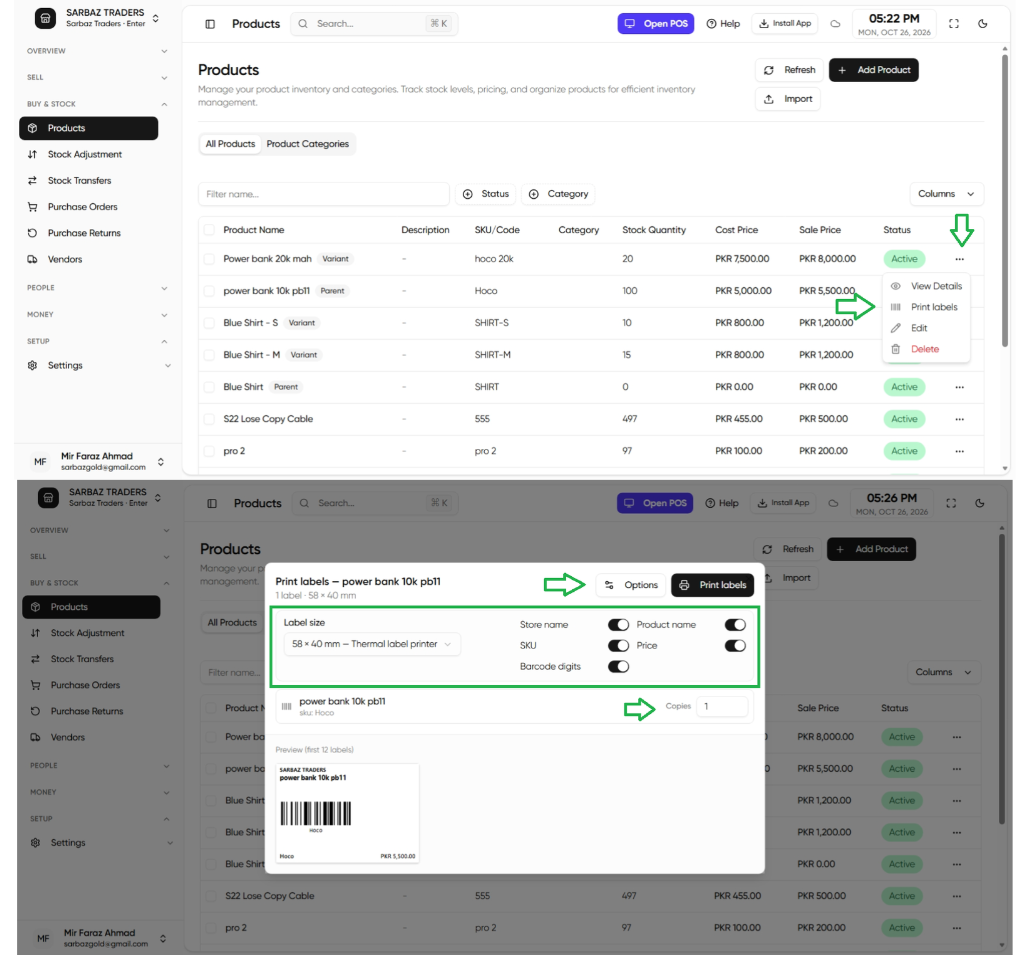
- Open a product, or select several in the list.
- Print labels.
- Choose the paper: 80mm thermal roll, die-cut 50×25, 40×30, 58×40, or an A4 sticker sheet.
- Turn on only the lines you want: store name, product, SKU, price, barcode digits.
- After a purchase receive, print labels for the lines that just arrived so the shelf matches the system.
Next: Low stock.