
A sale already changes stock. Use an adjustment when the shelf and the number disagree, or when goods are damaged.
- Open Stock Adjustment.
- Pick the product and the quantity change.
- Pick a reason.
- Save.
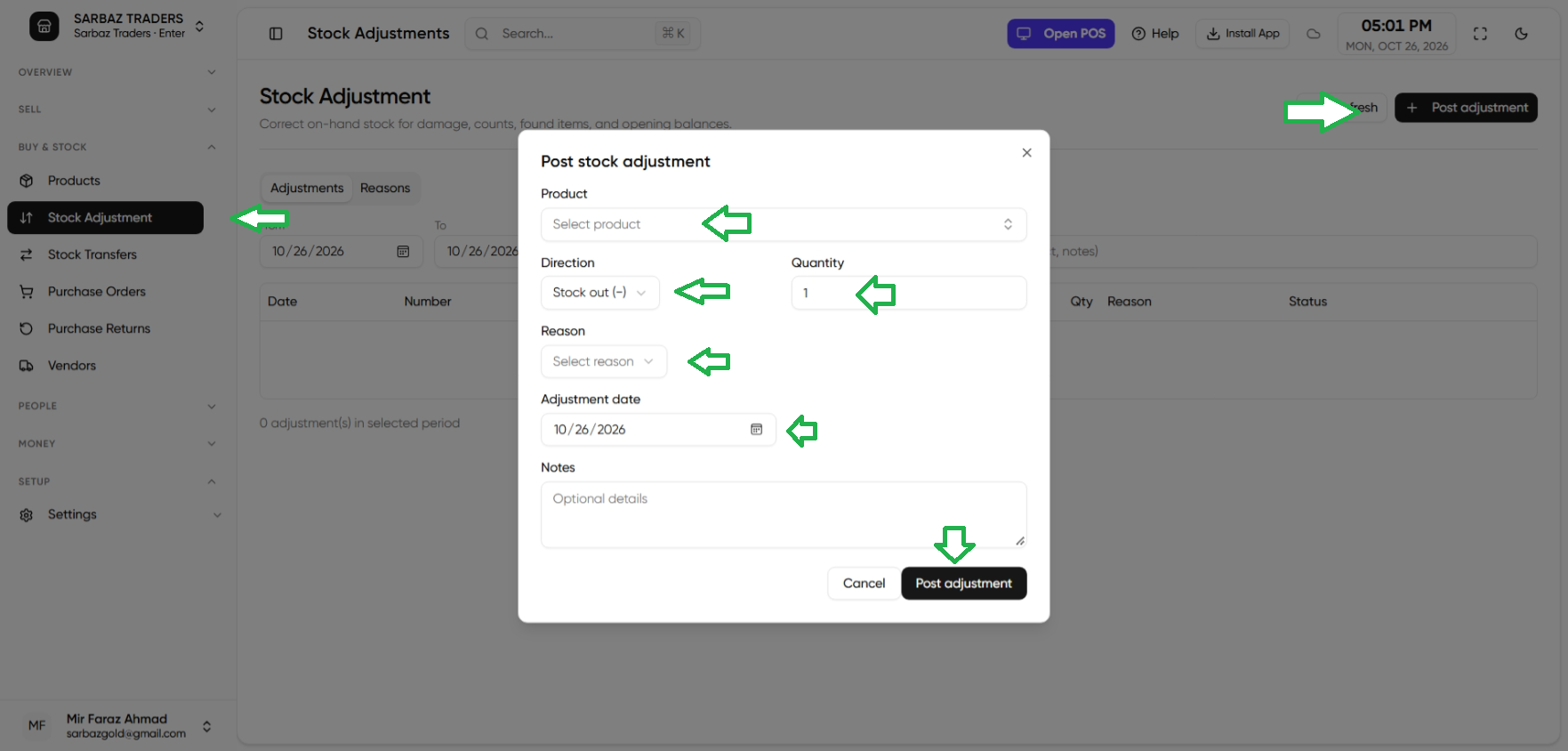
The activity log records who did it. See Activity log. On Enterprise the quantity is for the active store, not a single global pile.
Next: Barcode labels.